
Create your store
Create your Shopnix store in a few minutes. You get an online store that customers can visit, and a Store Manager where you set it up and run it.
Create your store
- Go to https://shopnix.io and click Create Store.
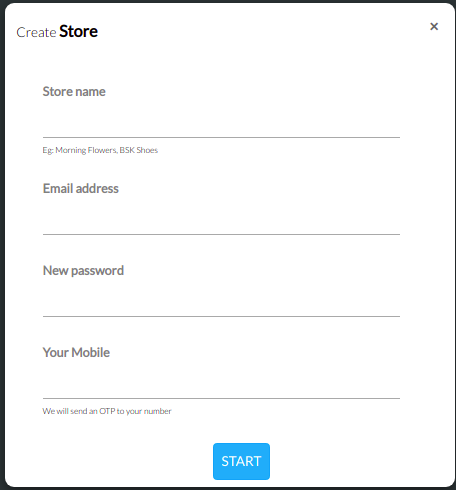
- Fill in your store details: store name, email address, password and mobile number.
- Click Start.
- Enter the OTP sent to your mobile number.
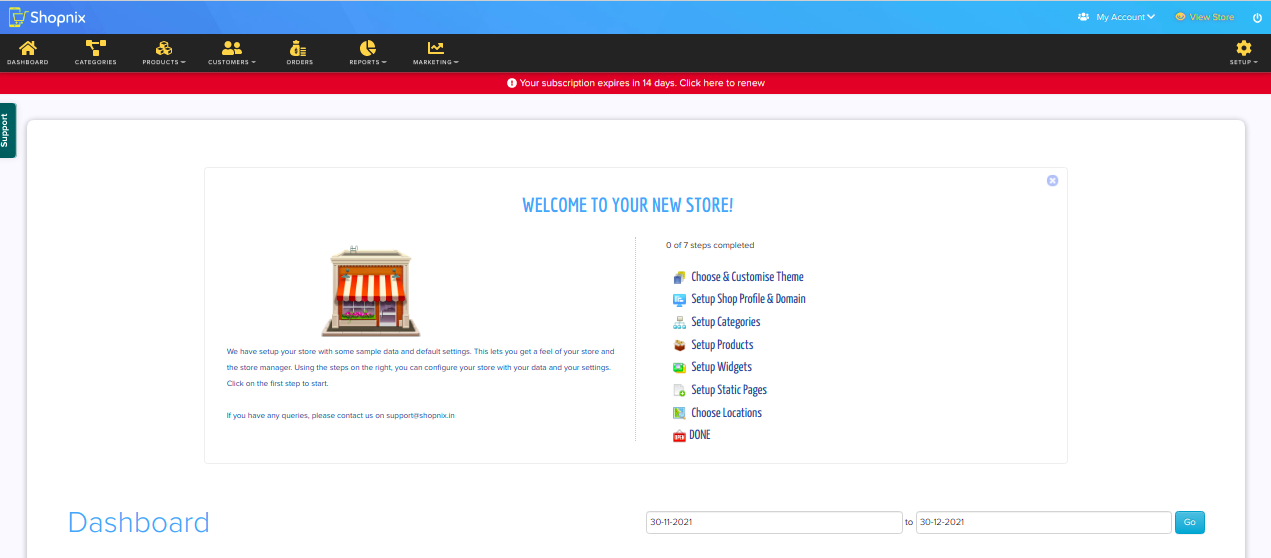
Shopnix then creates your store and takes you to Store Manager. On the way, the onboarding wizard helps you add your store details and logo, pick a theme and add your first product. See Set up your store with the onboarding wizard.
What happens next
- Click View Store at the top of Store Manager to see how your store looks to customers.
- Use Store Manager to customise your store and change its settings. You can reach it any time at
YOUR-STORE.com/admin.
Related articles
- Set up your store with the onboarding wizard
- Log in to Store Manager and find your way around
- Launch checklist: get your store ready to sell
Need more help? Email support@shopnix.io or call +91 8880788813.
No comments to display
No comments to display