How to send your CA a clean GSTR-1 sales report
The 20-second version: Fill missing HSN codes, add buyer GSTIN to bulk orders, update order statuses, then export only the fields your CA asked for. Your CA decides how it is filed.
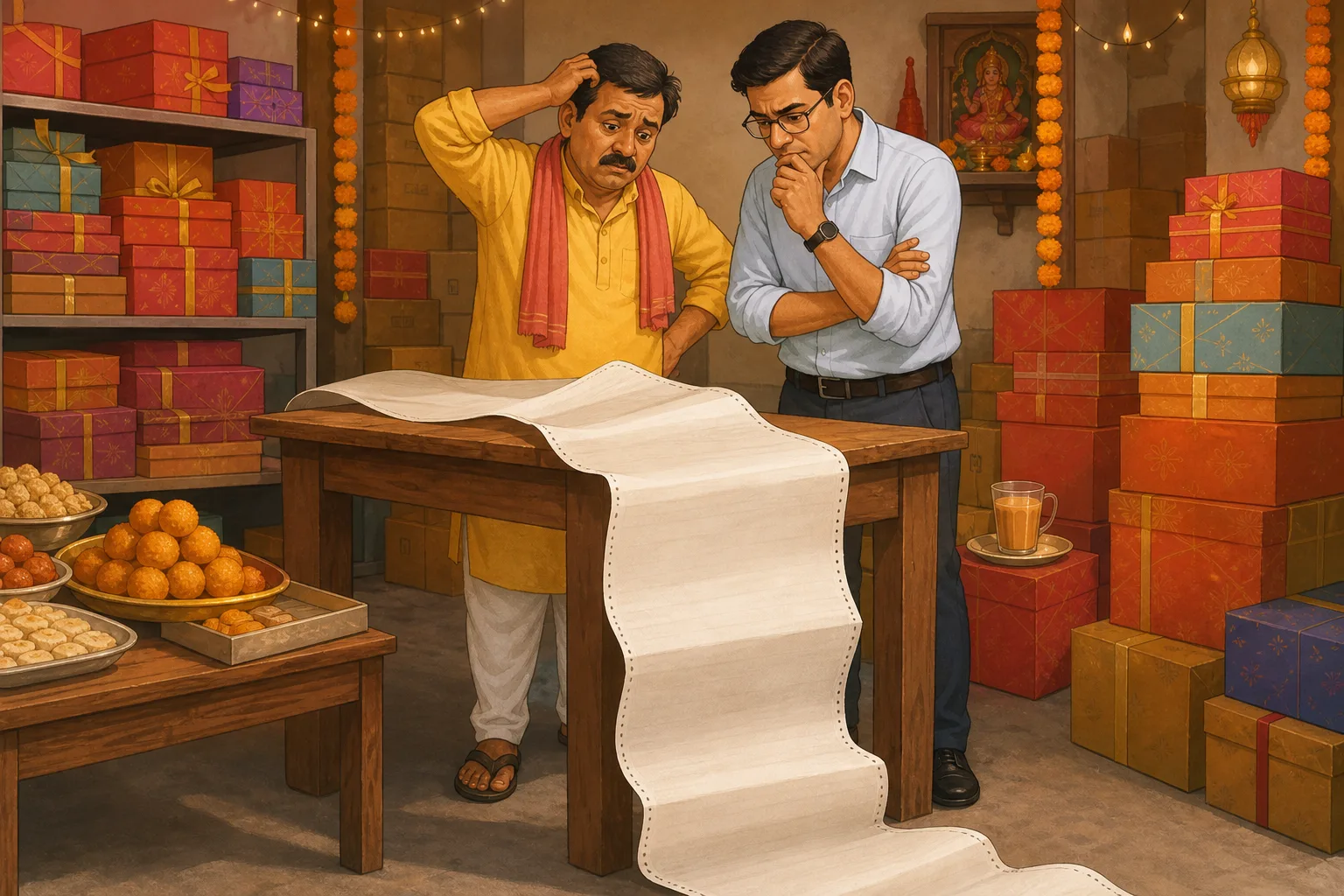
Picture this. Diwali is over, the last parcel has left, and the tape gun finally rests. Then your CA messages: 'Send October sales for GSTR-1.'
You export all 2,000 orders and mail the file. Back comes the reply: 'Which are B2B? Which came back? Where is the HSN?' Here's the thing: your CA can only file what you send. Let's send it right the first time.
What your CA actually wants
Ask your CA first, but most want four things from your store.
- B2B sales, one line per invoice, with the buyer's GSTIN.
- B2C sales as totals by state and GST rate.
- An HSN summary: quantity and value per HSN code.
- A separate list of cancelled and returned orders, so they are not counted as sales.
State matters because of the tax type. Picture a ₹1,000 kurta sent from Bengaluru to Chennai: it carries IGST. The same kurta sent within Karnataka carries CGST and SGST.
Dates matter too. As per the GST return calendar, October's GSTR-1 falls due around 11 November, November's on 11 December, and GSTR-3B on 20 December. Check the GST portal for exact dates. Block one hour this week and do October now.
Fix the gaps before you export
A parcel with a wrong address label travels far and comes back. A sale with a missing HSN makes the same trip, through your CA's inbox.
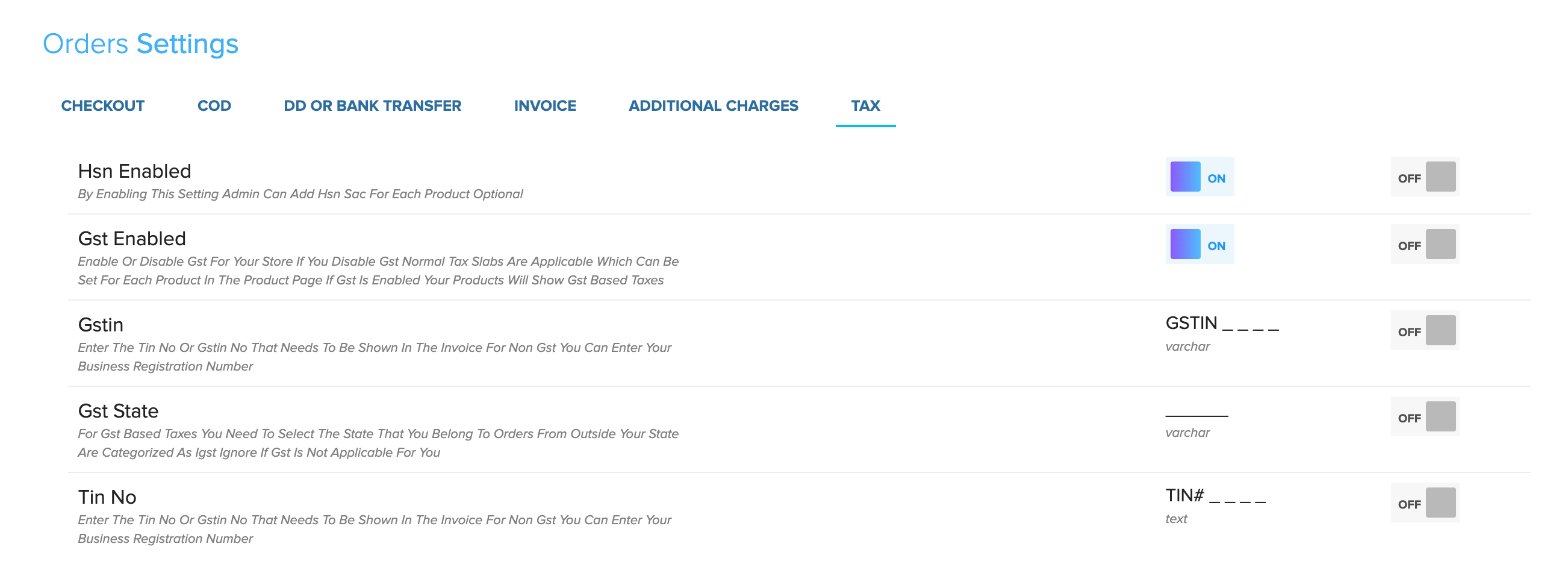
Open Setup → Shop Profile → Tax Settings. Check that GST is on, your GST state is correct and your GSTIN is filled in. The GST state decides which orders become IGST, so a wrong state spoils every line. Set up GST and taxes shows the screen.
Next, hunt for products with no HSN. In Products → Manage Products, search by HSN/SAC. Festive hampers and combo boxes, added in a hurry, are the usual culprits. They often carry the wrong GST rate too.
Many gaps? Use Products → Download Products CSV, fill the HSN column, and upload it with Products → Upload Products CSV. Edit products in bulk has the details. If you change a rate, run price recalculation so net prices match.
Tip: Fix HSN and rates today. Then November's orders reach your CA in better shape.
B2B orders need the buyer's GSTIN
Your corporate gifting client wants credit on the GST you charged. For that, the invoice must show their GSTIN. No GSTIN on the order means a phone call in January, always at an awkward time.
In Store Manager, open the order and fill the customer GSTIN field. It prints on the invoice. Go through this season's bulk and corporate orders and confirm each one has it. GST invoices shows how it looks.

Keep returns out of your sales
A refused COD parcel has a sad little life. It travels 1,400 km, waits two days at a hub, reaches the door, and the customer says 'I didn't order this'. Then it travels back. Your books must not count that trip as a sale.
So update statuses. In Orders, use Change Status to mark orders CANCELLED, RETURNED or REJECTED. Mark a refused parcel RETURNED when it reaches your shelf. For cancelled and returned orders on products set to auto-reduce stock, the stock goes back. Also clear every October order still sitting as NEW or PROCESSING.
Then keep these out of the sales file and send them to your CA as a separate list. How returns are shown in the return, credit notes and amendments included, is your CA's call.
One honest limit: the Shopnix reports cover your own store only. Amazon, Flipkart or Meesho sales come from the marketplace's own reports.
Pull the report and send it
Reports now let you select or deselect the fields to export. So your CA gets the columns they asked for, not a sheet nobody can read.
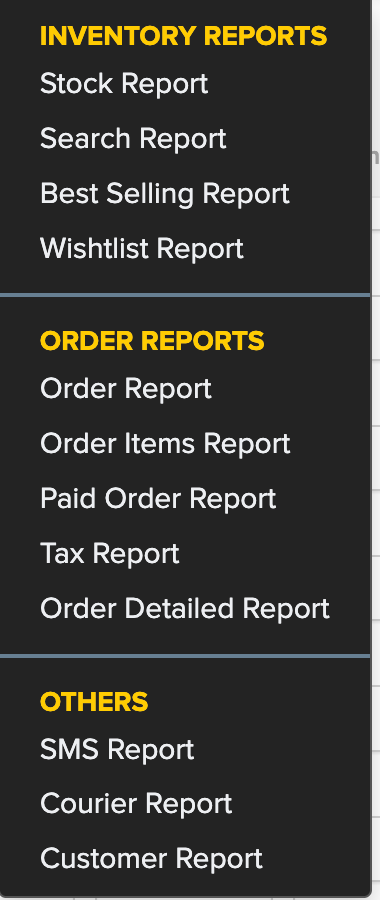
- Go to Reports → Tax Report and set the month's date range.
- Select the fields your CA asked for, such as invoice number, date, buyer GSTIN, state, taxable value, tax amounts and HSN.
- Generate the report and check a few lines against real orders.
- Open Reports → Order Report and filter by shipping state, one state at a time, so your CA can total B2C by state.
- Open Reports → Paid Order Report and filter by payment type to match UPI, card and COD money.
- Download the CSV or PDF and send it to your CA.
Pick the same fields every month, so the file looks the same each time. Details are in the Tax Report help and the Paid Order Report help. The GST and tax reports page shows the full set.
One last point for your books: Shopnix takes 0% commission on every plan, so the sales in your report are not trimmed by us.
Frequently asked questions
Does Shopnix file my GSTR-1?
No. Shopnix gives you clean sales data from your own store. Your CA files the return and decides how everything is shown in it.
Do marketplace sales show in the Shopnix reports?
No. The reports cover orders on your own store only. Amazon, Flipkart or Meesho sales come from the marketplace reports.
Can I filter the Order Report by state?
Yes. The Order Report can be filtered by shipping state, along with status, payment type and date. Your CA can total each state from that.
The parcels are gone, but the data can still go wrong. Before you send anything, run this checklist: HSN filled on every product. GST state and GSTIN set. Buyer GSTIN on bulk orders. Statuses updated, no old NEW orders. Report exported with only the fields your CA wants. File sent. Then put a reminder in your calendar for the 1st of every month, and send October's Tax Report to your CA today.