
Paid order report
The paid order report lists the orders customers have paid for. Use it to check your payments received.
Open the report
- Go to Store Manager → Reports → Paid Order Report.
- To see all paid orders, click Generate Report.
- To see only some orders, fill in the search options first, then click Generate Report.
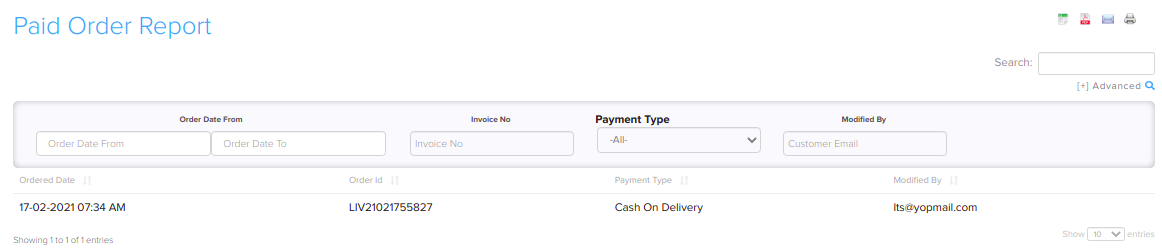
Filters
You can filter paid orders by:
- Order Id
- Order Date
- Payment Type
- Modified By (the staff user who last changed the order)

Related articles
Need more help? Email support@shopnix.io or call +91 8880788813.
No comments to display
No comments to display