
Order report
The order report lists the orders customers have placed in your store. Use it to analyse your orders and to download, email or print a list of them.
Open the report
- Go to Store Manager → Reports → Order Report.
- To see all orders, click Generate Report.
- To see only some orders, fill in the filters first, then click Generate Report.
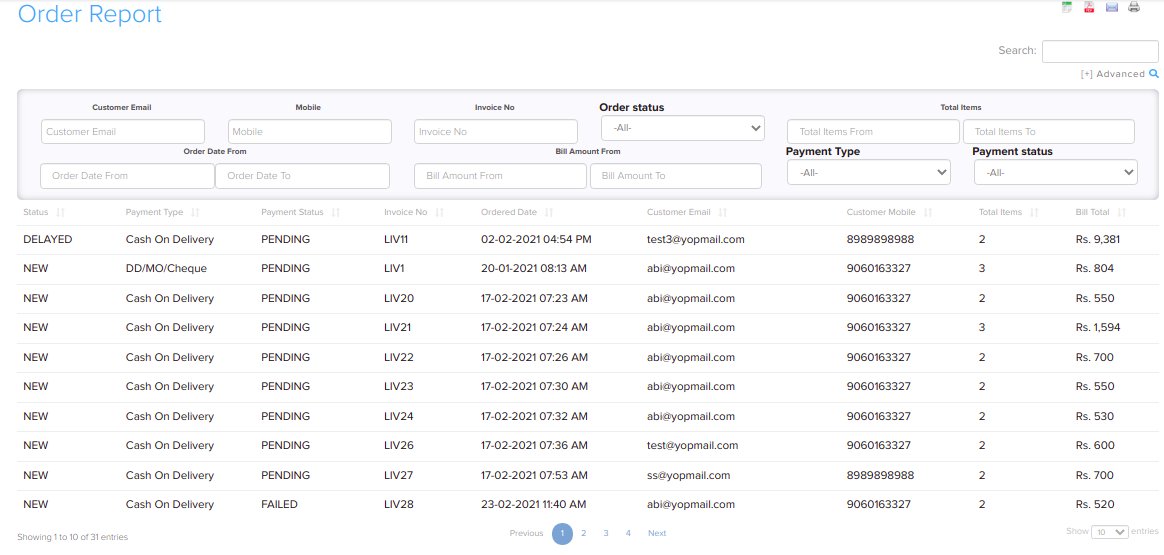
Filters
You can filter the order report by:
- Invoice No
- Customer Email and Mobile
- Order Date
- Order status
- Payment status and payment type
- Shipping area, city, pincode and state
- Bill Amount
- Total Items

Export or share
- Download the report in Microsoft Excel format
- Download the report in PDF format
- Mail the report
- Print the report

Related articles
Need more help? Email support@shopnix.io or call +91 8880788813.
No comments to display
No comments to display