
Order detailed report
The order detailed report shows each order with its items, including SKU, quantity and price. It gives more detail than the order report, so you can track individual items within each order.
Open the report
- Go to Store Manager → Reports → Order Detailed Report. You see all orders with their details.
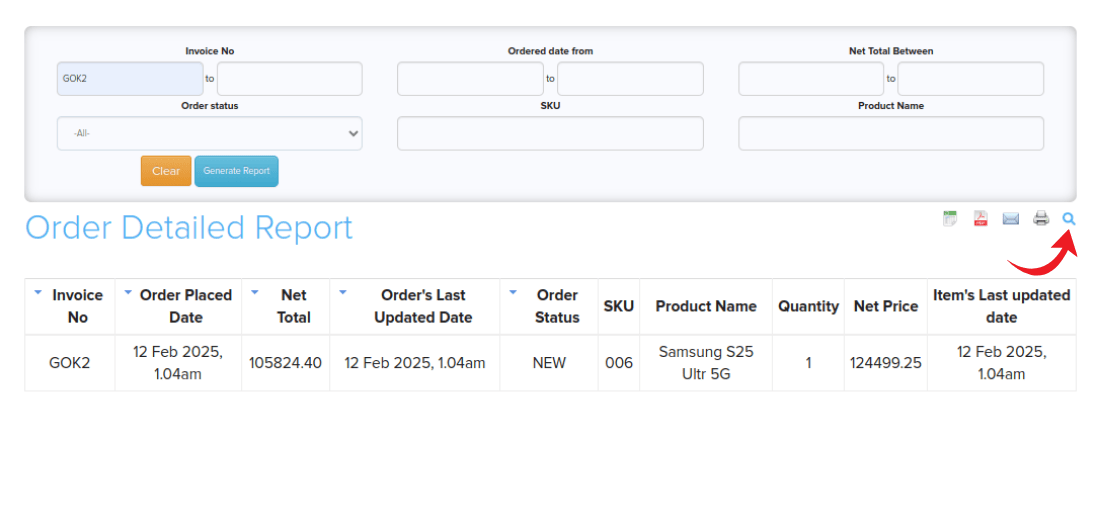
- To filter the results, click the search icon in the top right corner and fill in the filters.
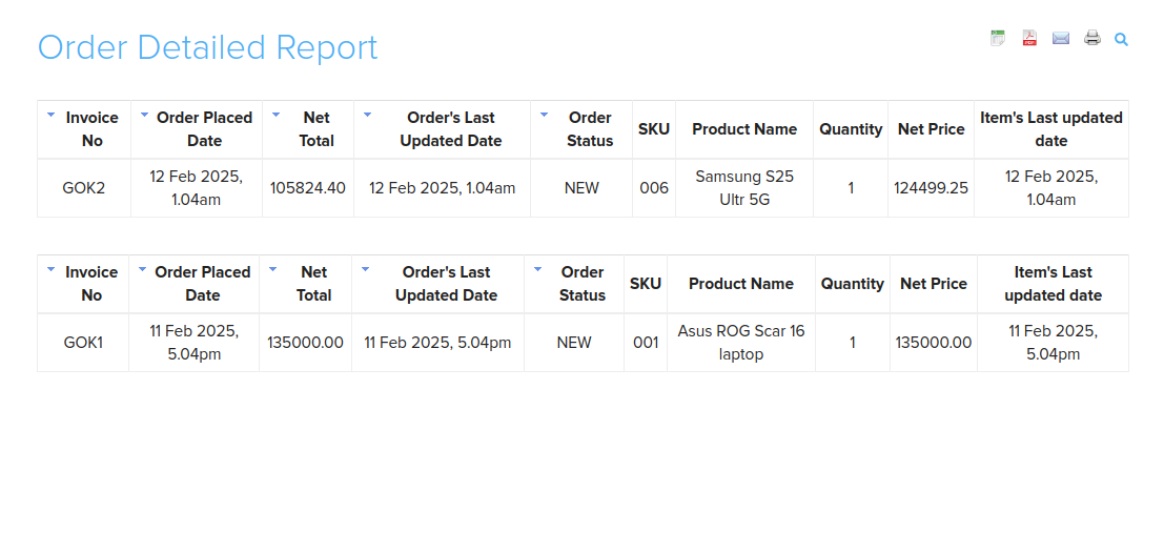
Columns
| Column | What it shows |
|---|---|
| Invoice No | The order's invoice number. |
| Order Placed Date | When the order was placed. |
| Net Total | The order's net total. |
| Order's Last Updated Date | When the order was last changed. |
| Order Status | The order's current status. |
| SKU | The SKU of the item. |
| Product Name | The item's product name. |
| Quantity | How many of the item were ordered. |
| Net Price | The item's net price. |
| Item's Last Updated Date | When the item was last changed. |
Filters
| Filter | What it does |
|---|---|
| Invoice No | Find an order by its invoice number. |
| Ordered Date From | Show orders within a date range. |
| SKU | Search by SKU. |
| Product Name | Search by product name. |
| Order Status | Show orders with a particular status. |
| Net Total Between | Show orders within a net total range. |
Export or share
Related articles
Need more help? Email support@shopnix.io or call +91 8880788813.
No comments to display
No comments to display