
Order items report
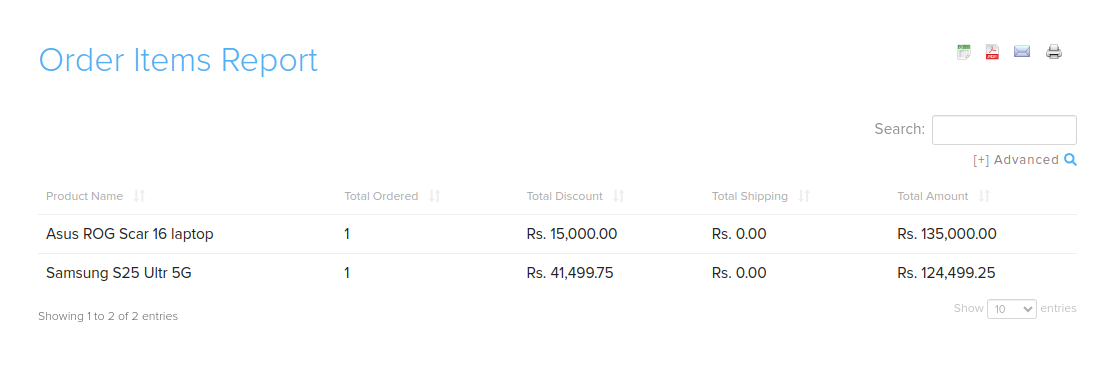
The order items report shows order totals for each product: how many were ordered, and the total discount, shipping and amount. Use it to analyse your orders product by product.
Open the report
- Go to Store Manager → Reports → Order Items Report.
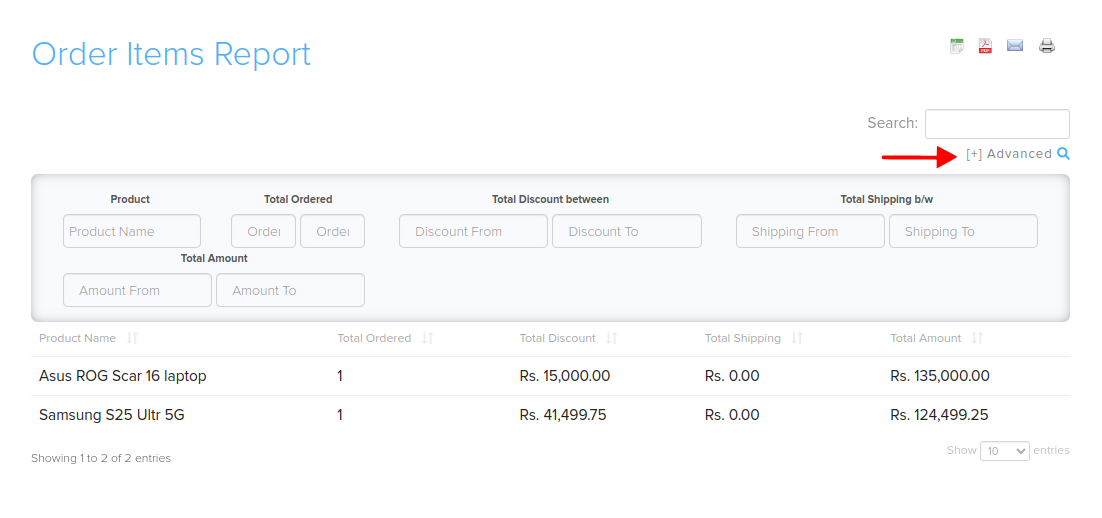
- To filter the results, click the [+] (Advanced search) icon in the top right corner and fill in the filters.
Columns
| Column | What it shows |
|---|---|
| Product Name | The product. |
| Total Ordered | The total quantity ordered. |
| Total Discount | The total discount given on the product. |
| Total Shipping | The total shipping charges. |
| Total Amount | The total amount for the product. |
Filters
| Filter | What it does |
|---|---|
| Product | Search by product name. |
| Total Ordered | Show products ordered within a quantity range. |
| Total Discount between | Show products within a discount amount range. |
| Total Shipping b/w | Show products within a shipping charges range. |
| Total Amount | Show products within a total amount range. |
Export or share
Related articles
Need more help? Email support@shopnix.io or call +91 8880788813.
No comments to display
No comments to display