
Best selling report
The best selling report shows which products sell the most, which sell the least, and how many of each you have sold. Use it to find your top sellers and your slow-moving products.
Open the report
- Go to Store Manager → Reports → Best Selling Report.
- To see all products, click Generate Report.
- To narrow the results, fill in the filters first, then click Generate Report.
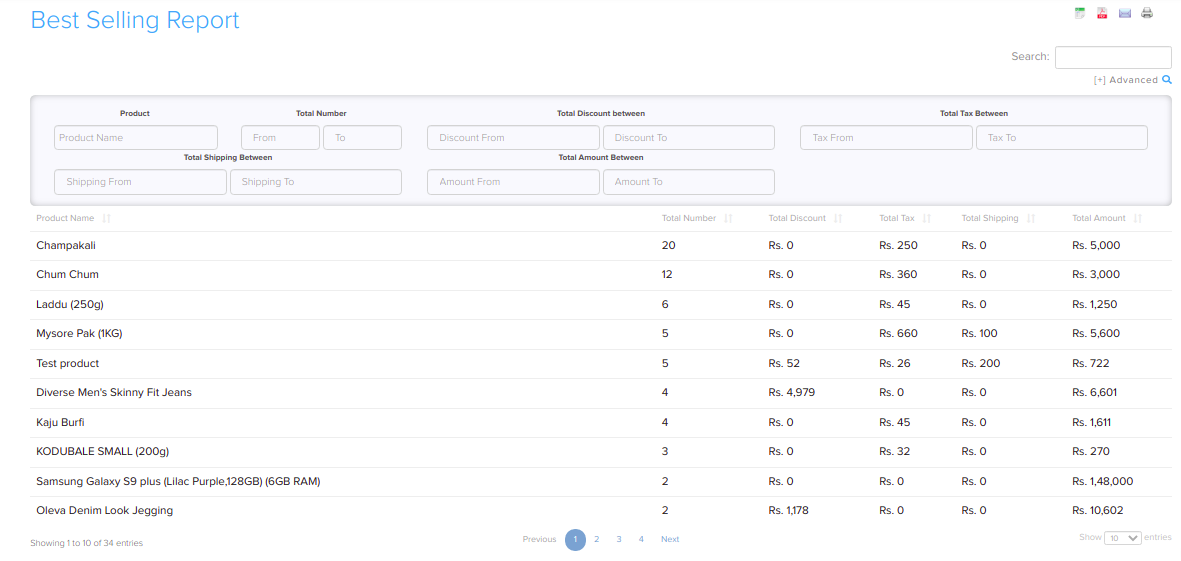
Filters and sorting
Use the filters at the top of the report page to narrow the results. You can filter by Product, and by ranges of total number sold, total amount, discount, shipping and tax. You can sort the list from high to low or from low to high.

Related articles
Need more help? Email support@shopnix.io or call +91 8880788813.
No comments to display
No comments to display