
How customers log in (OTP, Google and Facebook)
Customers can log in to your store in more than one way. They can use their email and password, a one-time password (OTP) sent to their mobile number by SMS or WhatsApp, or their Google or Facebook account. More login options mean customers who forget their password can still log in without resetting it.
How it works
| Login method | How the customer logs in |
|---|---|
| Email and password | The customer registers with their details, activates the account from the email they receive, and logs in with their email and password. |
| Mobile number OTP | The customer enters their registered mobile number. Your store sends a one-time password to that number by SMS, or by WhatsApp if you use WhatsApp. The customer enters it to log in. |
| Google or Facebook | The customer logs in with their Google or Facebook account. You need to set this up first. See Set up Google and Facebook login. |
Turn on OTP login
- Go to Store Manager → Setup → Settings and open the General tab.
- Turn on OTP login and save.
- Make sure your SMS gateway is set up. See Set up an SMS gateway.
- To send OTPs on WhatsApp, turn on the OTP authentication template in Store Manager → Setup → Gateways → Whatsapp Gateway. See Send WhatsApp messages.
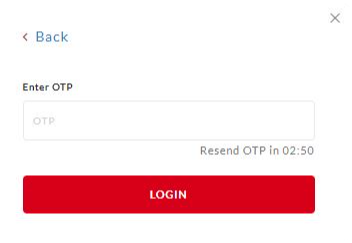
An OTP expires after 3 minutes (180 seconds). The customer can ask for a new one after 3 minutes.
What the customer does to log in with OTP
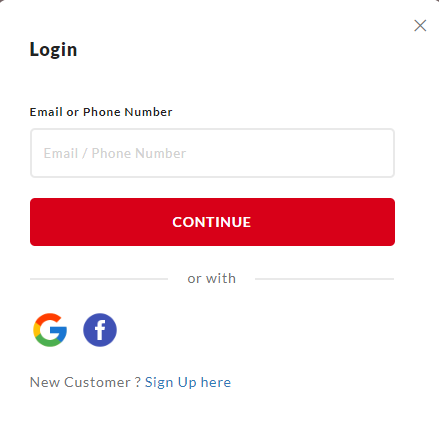
- Open the login page of your store.
- Enter their registered mobile number.
- Wait for the OTP to arrive on their phone.
- Enter the OTP on the login page.
- Click Login.
Other options
- Customers can link their email address to their mobile number.
- You can stop new customers from registering in your store. This is available on request: contact Shopnix support to turn registrations off.
- You can also ask customers to confirm their mobile number with an OTP at checkout. This is in Store Manager → Setup → Settings, on the Orders tab under Checkout.
Example
Priya bought a saree from your store last month but has forgotten her password. On the login page she enters her mobile number, gets an OTP by SMS, types it in and is logged in. Her saved address is ready for her next order.
What you can do
Related articles
- View and add customers
- Set up Google and Facebook login
- Set up an SMS gateway
- Send WhatsApp messages
Need more help? Email support@shopnix.io or call +91 8880788813.
No comments to display
No comments to display