
Ship orders with Shiprocket
Shiprocket is an Indian shipping platform. When you connect it to your store, you can book pickups, choose a courier partner, track shipments and cancel shipments straight from your orders list.
Before you start
- You need a Shiprocket account and its API user details. Sign up at shiprocket.in.
Turn on Shiprocket
- Go to Store Manager → Setup → Apps.
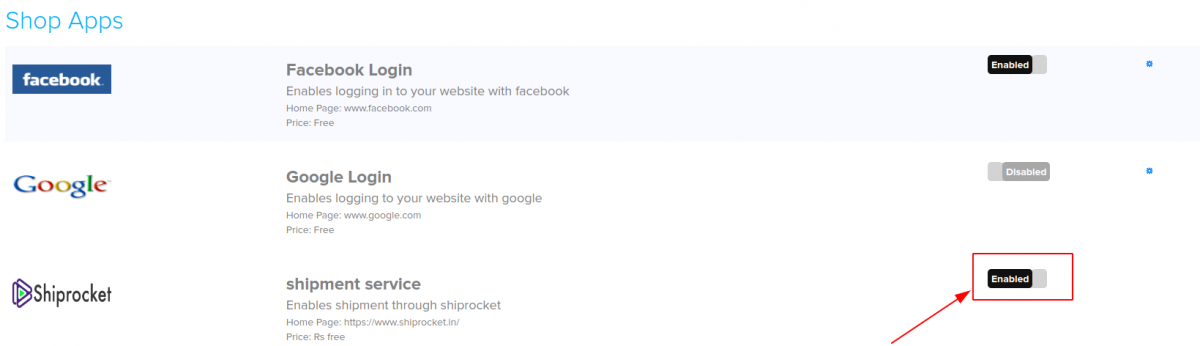
- Find Shiprocket and click its option to enable it.
- Check that Shiprocket now shows as Enabled.
Ship an order with Shiprocket
- Go to Store Manager → Orders and open the order you want to ship.
- Click Ship Now.
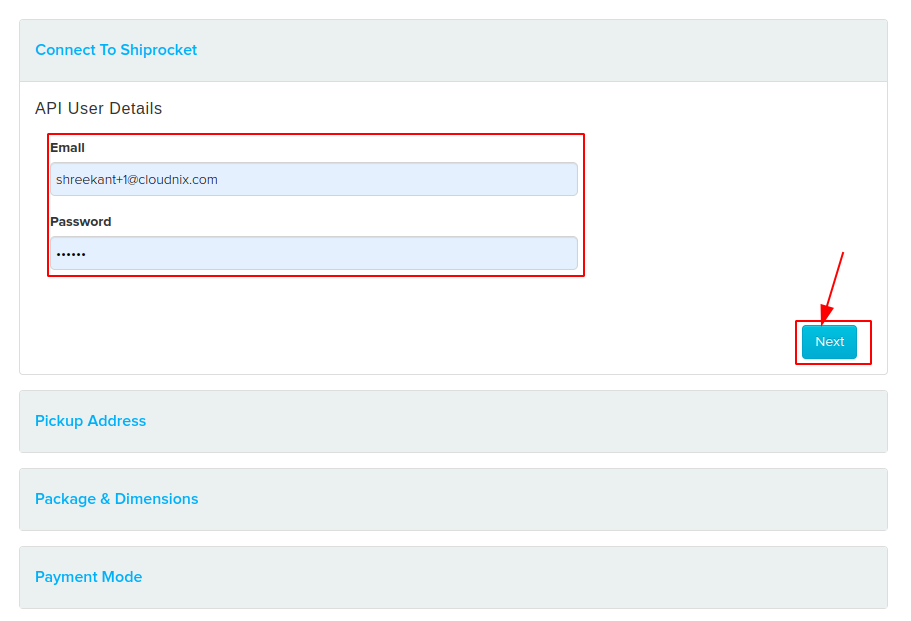
- The first time only, enter your Shiprocket API User Details. Click Next.
- Add the Pickup Address. Click Next.
- Add the Package & Dimensions and the weight. Shopnix compares the volumetric weight with the actual weight and shows the weight that applies. Click Next.
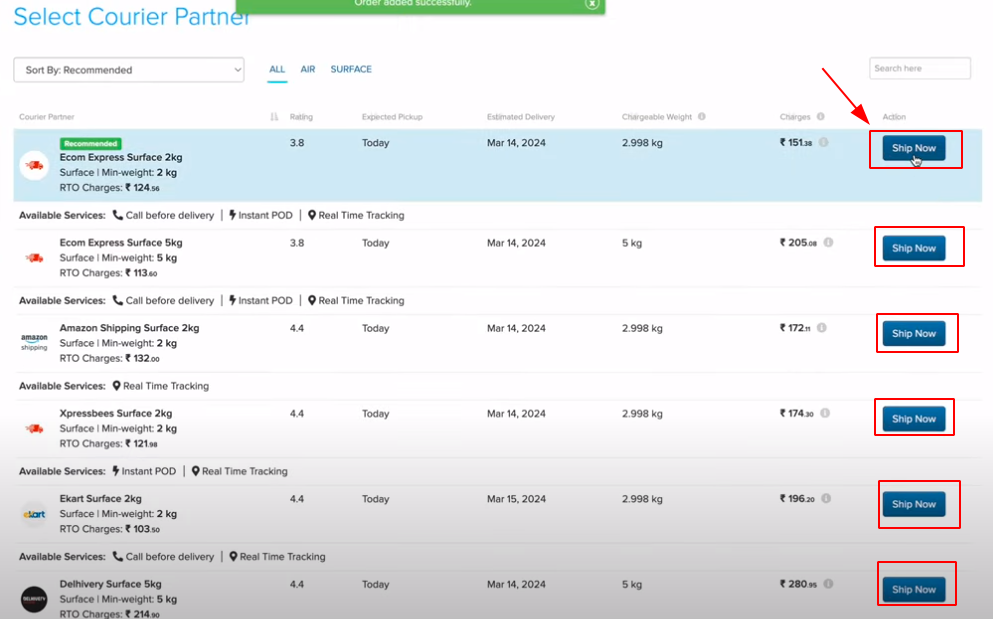
- Select the Courier Partner you want to use. For each partner you see whether it is recommended, its rating, estimated delivery, expected pickup and whether it is a surface service.
- Assign the pickup.
After you ship
- Download the shipping label, manifest and invoice from the order.
- Tracking updates from Shiprocket arrive in your store automatically. Click Track to follow the shipment.
- To cancel, click Cancel Shipment.
Related articles
Need more help? Email support@shopnix.io or call +91 8880788813.
No comments to display
No comments to display