Collect payment on Instagram DM orders before you pack
The 20-second version: Enter each DM order in Store Manager → Orders, paste its Payment Link into the same chat, check the payment status, and pack only what shows paid.
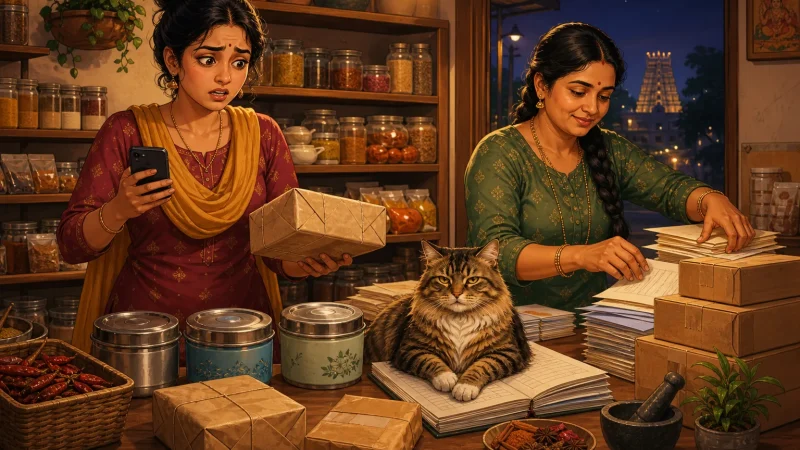
Picture this. Late evening, chai gone cold, and you are scrolling your Instagram DMs. A dupatta photo, an address typed over three messages, and one 'will pay tomorrow' from someone who is definitely not paying tomorrow.
Beta, I have seen this story in every shape. A different phone, the same promise instead of money. The fix is small, and you can start tonight.
Ten DMs, two payments
Why does it happen? The payment is not tied to the order, nothing is written down except the chat, and no invoice exists. Then the festive rush arrives, you pack everything in a hurry, and half the parcels come back like a batsman who never turned up to bat.
So tonight, scroll your DMs and count the orders that are confirmed but not paid. Go on, I will wait. The chai can be reheated.
Give the DM order a home
Open Store Manager → Orders and enter the DM order like any other. The product and size, the name, phone and address with pincode. If a business is buying, add their GSTIN. If it is a gift, add the message.
Now it sits in the same list as your website orders, not scribbled on the back of an old bill. Do this with your very next DM order.
Send the link in the same chat
Open that order, copy its Payment Link and paste it into the same Instagram or WhatsApp chat. The buyer pays through your store's payment gateway. No more 'please send a screenshot' back and forth.
Just an example: a ₹2,400 silk dupatta plus ₹80 shipping becomes one link for ₹2,480. Nobody needs a calculator.
Before you pack, look at the payment status on the order. Cashfree and PhonePe payments reach your store on their own. With any other gateway, check your gateway dashboard and update the status yourself, as Track and update order payments shows. Pack only what shows paid. The full story is in Send a payment link.
Tip: The Payment Link needs a payment gateway on your store. Shopnix switches it on for you, available on request. If you cannot see the Payment Gateway tab under Setup → Shop Profile, ask us to enable it.
Ready items can check out alone
For a single ready product, you do not need an order at all. The Buy Now link on the product's Advanced tab opens checkout directly, so it suits your Instagram bio or a reply to a story.
For products with sizes or colours, send the product page link so the buyer picks the variant. Thumb rule: manual order with a Payment Link for custom and bulk orders, Buy Now for ready items. Put your best seller's link in your bio today.
The invoice and the updates follow
Every order, manual ones too, has an invoice you can view, download as PDF, email or print. GSTIN and HSN print on it, and an order from outside your state is treated as IGST, like a saree going from Surat to Kolkata. Your GST invoices settings are worth one look.
Then switch on WhatsApp order updates in Setup → Gateways → Whatsapp Gateway. It is available on request and messages use credits. Mark the order SHIPPED with the courier name and consignment ID, and the buyer gets an update. Fewer 'where is my parcel' DMs, and you keep your evenings. See Send WhatsApp messages.
Custom or bulk? Say payment first
For bulk or made-to-order items, say it in your very first reply: payment by link or bank transfer before you buy material or dispatch. Said early, it never feels rude. Keep that line as a saved reply in Instagram and WhatsApp.
Small ready item and the buyer insists on paying at the door? Offer COD only on pincodes you trust. Here is the COD by pincode help article.

Frequently asked questions
Does the order update by itself when the buyer pays?
For Cashfree and PhonePe, yes. With any other gateway, check your gateway dashboard and update the payment status on the order yourself.
What if the buyer says 'I will pay later'?
Keep the order in your store as unpaid and do not pack it. Send the Payment Link in the same chat and pack once it shows paid.
A sale that starts in a DM should end as a paid, invoiced order you can find later. If you get stuck while setting this up, the developers, designers and testers who build Shopnix are in your private WhatsApp support group, just for your store, and since there is 0% commission on every plan, the full DM sale stays with you. Enter your next Instagram DM order in Store Manager → Orders, paste its Payment Link into the same chat, and pack once it shows paid. Money first, parcel next, beta. Even a favourite cousin pays before the parcel leaves.