
Print or email an order invoice
An invoice is the receipt for an order. It lists the products, prices and shipping address. You can view it, save it as a PDF, print it to pack with the order, or email it to the customer.
Open an invoice
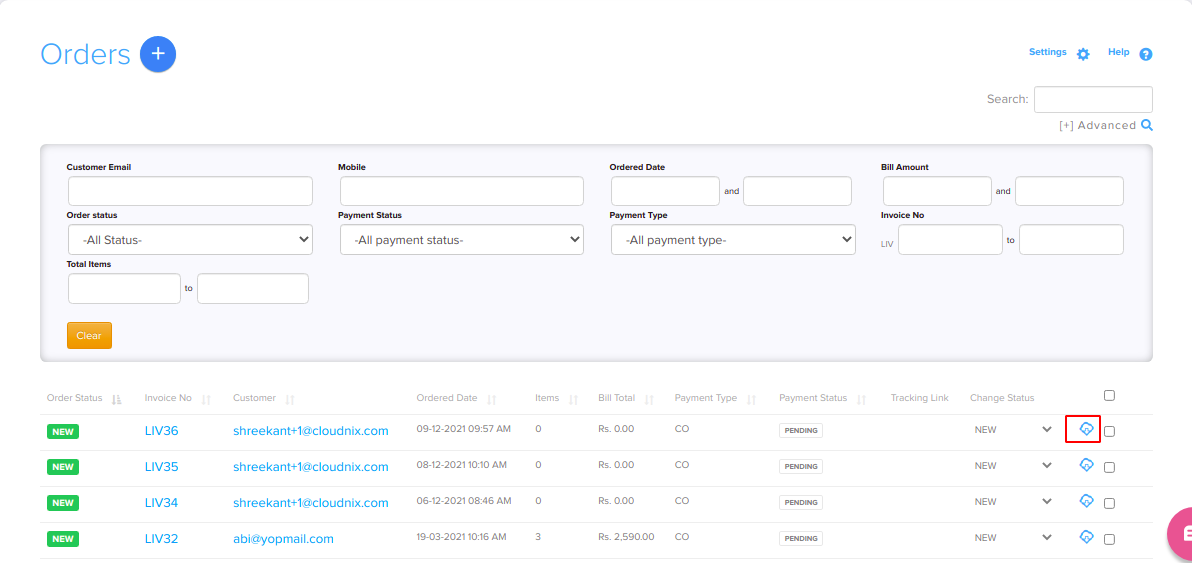
- Go to Store Manager → Orders.
- Find the order and click the invoice icon on its row.
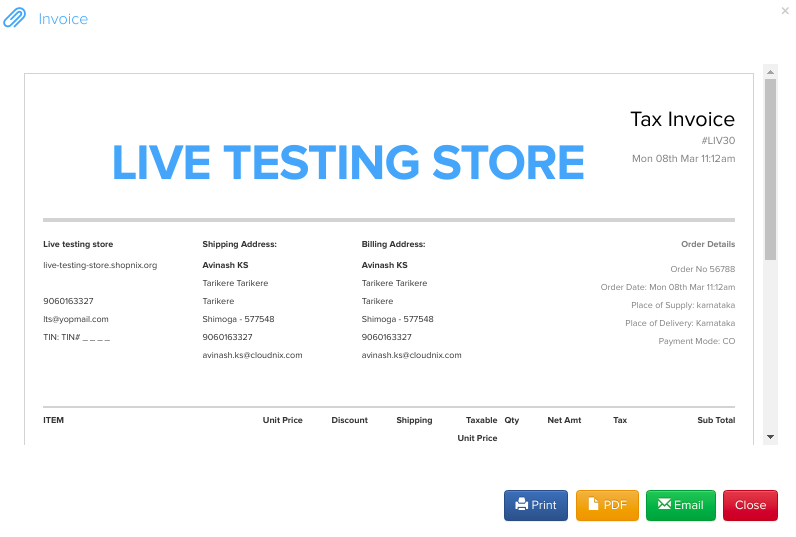
- A pop-up shows the invoice with the order ID, shipping address, products, quantities and prices.
Print or email the invoice
- To print, use the print option in the invoice pop-up. You can stick the printout on the parcel.
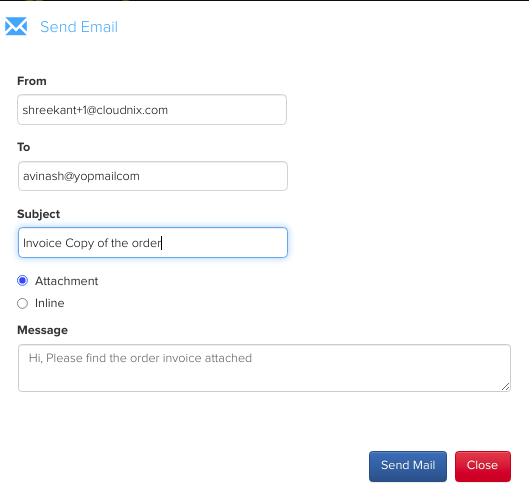
- To send it to the customer, use the email option in the invoice pop-up.
- To save a copy, use the PDF option.
Customers can also download their invoices from My Account in your store.
Invoice number and layout
To change the invoice prefix or next number, or to ask for a thermal receipt layout, see Invoice numbering and thermal receipts. Your GSTIN is printed on the invoice when you add it in your tax settings. See Set up GST and taxes.
Related articles
- Process and update an order
- How orders work
- Invoice numbering and thermal receipts
- Set up GST and taxes
Need more help? Email support@shopnix.io or call +91 8880788813.
No comments to display
No comments to display