
Connect Google Search Console
Google Search Console is a free Google service that shows whether Google has indexed your store and how your store appears in Google search. To connect it, you add your store in Search Console and prove you own it by adding a meta tag to your store's header.
Google Search Console used to be called Google Webmaster Tools.
Before you start
- You need a Google account.
Get your verification meta tag
- Go to Google Search Console and sign in with your Google account.
- Add your store's address, for example
YOUR-STORE.com. - On the verification page, choose the HTML tag (meta tag) method.
- Copy the meta tag.
Google's screens change often. If they look different, follow Google's own guide: Verify your site ownership.
Add the meta tag to your store
- Go to Store Manager → Setup → Pages.
- Click header in the Name column.
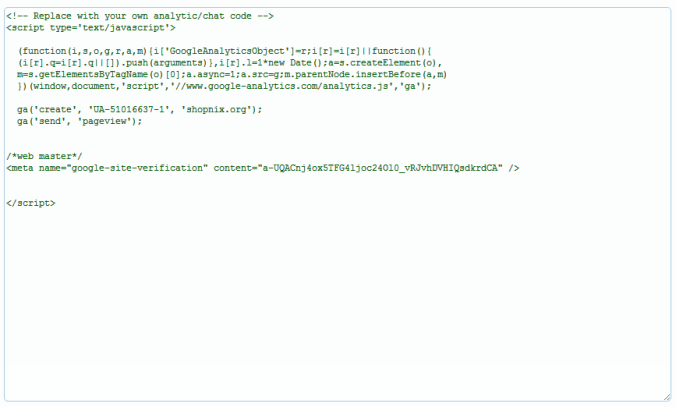
- Paste the meta tag into the header. Don't delete any code that is already there.
- Click Save.
- Go back to Google Search Console and click Verify.
What happens next
Shopnix creates a sitemap of your store every night for paid stores, which helps Google find your pages. See SEO for your store.
Related articles
Need more help? Email support@shopnix.io or call +91 8880788813.
No comments to display
No comments to display