FEATURES · MANAGE
Run the store, not the paperwork.
An order comes in. It's paid, the GST invoice is made, it's packed and shipped, the customer is told, and stock goes down. One Store Manager for all of it.
Paid
UPI, card or COD.
Invoiced
Right GST, by itself.
Shipped
Tracking to the customer.
Restocked
Stock and alerts updated.
WORKS WITH WHAT YOU ALREADY USE














 EmailSMS
Logos belong to their owners.
THE FIVE PARTS OF MANAGE
Everything behind the counter

Inventory
Stock that looks after itself, across every size, colour and category.
- Variants with their own SKU, price and stock
- Stock updated on every order and cancellation
- Low-stock alerts and stock reports
Customers and community
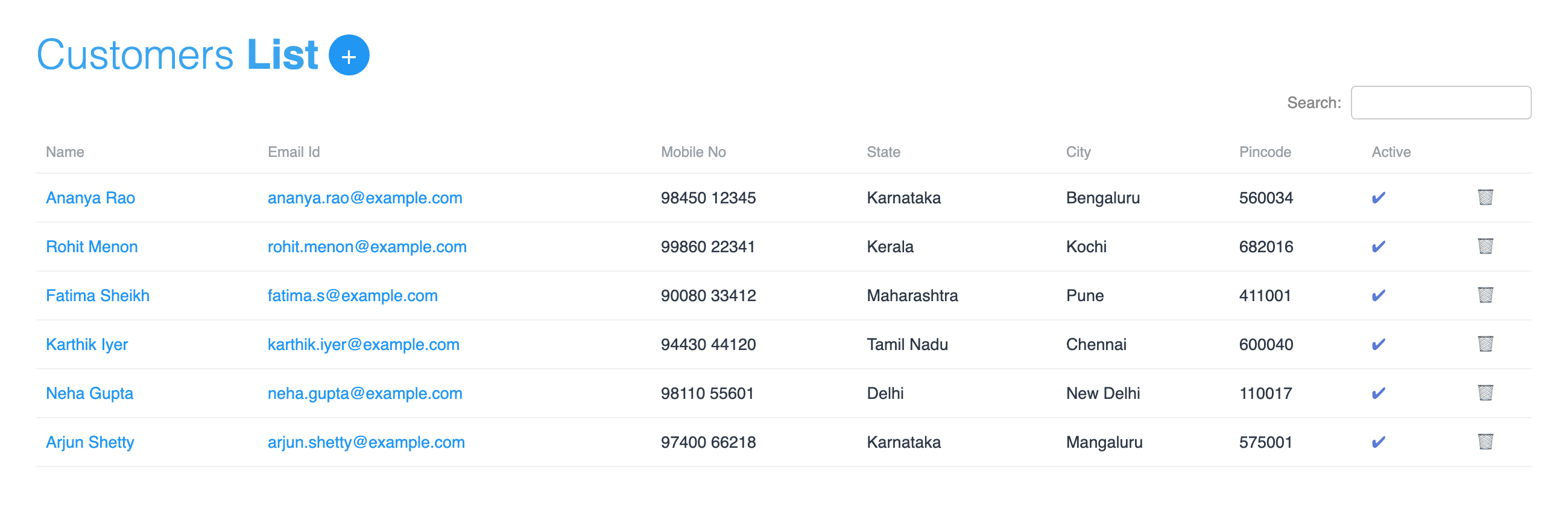
Own your customers instead of renting them from a marketplace, and turn buyers into a tribe that comes back.
- Every name, number, order and wishlist is yours
- WhatsApp, email and newsletter, direct
- Reviews, testimonials, coupons and members-only
GST and tax reports
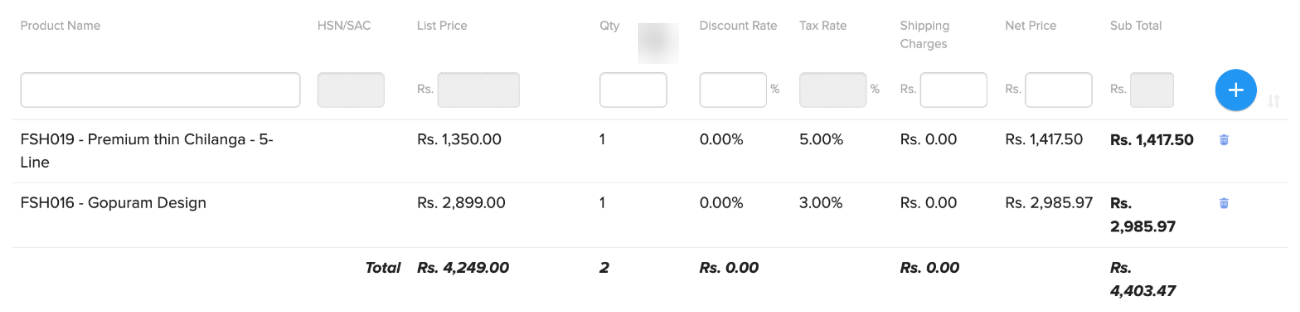
The right GST on every order, a proper invoice, and one report for your CA.
- CGST, SGST or IGST worked out by itself
- HSN and GST rate per product
- Tax report as Excel, PDF or email
UPI, cards and COD
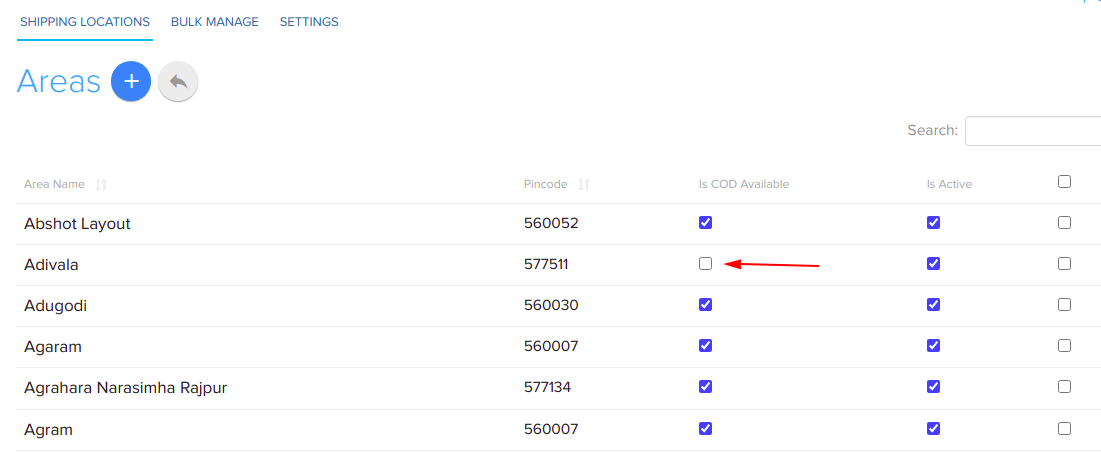
UPI, cards, net banking and cash on delivery, with COD kept under your control.
- Razorpay, PhonePe, Cashfree, PayU and more
- COD per pincode, COD charge, OTP check
- Payment links for WhatsApp orders

Integrated shipping
Local delivery, couriers across India and international orders, with tracking for every parcel.
- Delivery areas, charges and time slots
- Shiprocket and 12 preloaded couriers
- Tracking link on email and WhatsApp
A DAY ON SHOPNIX
What running your store actually looks like
Coffee and the dashboard
Yesterday's orders, revenue and visitors. Two products running low.
Inventory →
Orders arrive, paid
UPI, card or COD from verified mobiles. Each with a GST invoice made for you.
Payments →
Packed and shipped
Book a courier, print the label. The customer gets a tracking link on WhatsApp.
Shipping →
One report for your CA
The tax report, with CGST, SGST and IGST for every invoice. Download or email it.
GST and tax →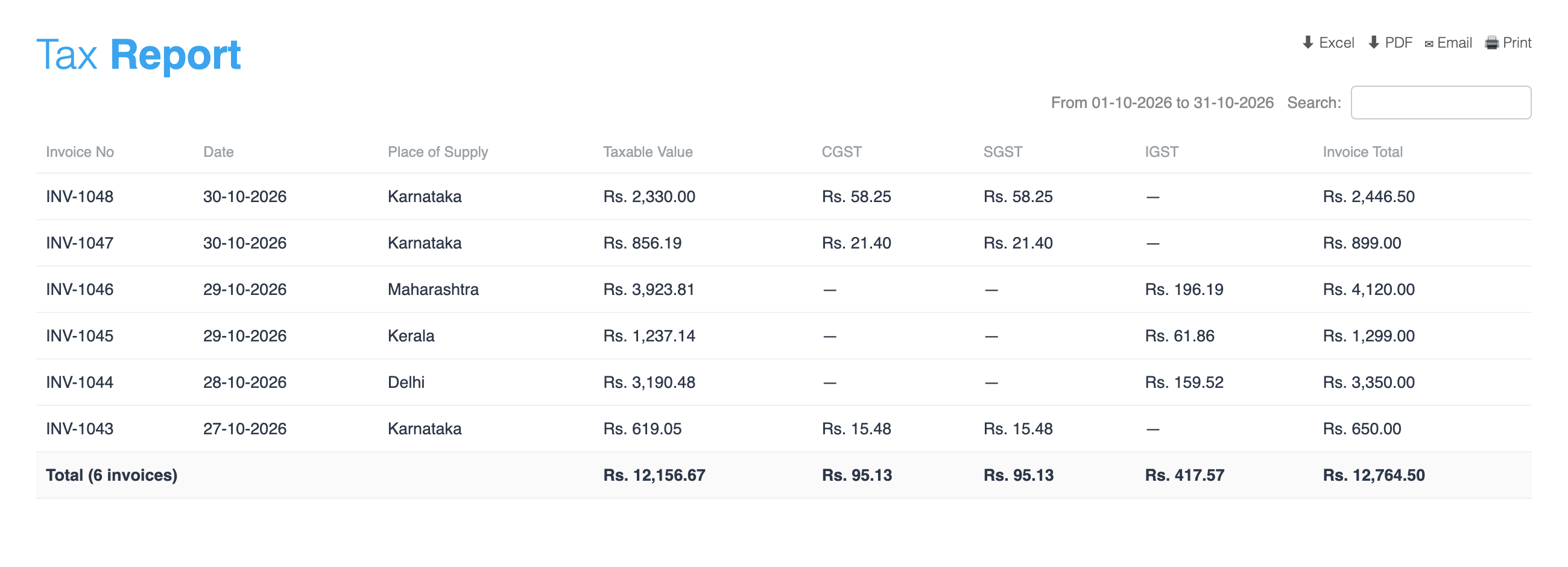
BOTH SIDES OF THE COUNTER
You manage it here. They see it there.


BUILT FOR SHOPS LIKE YOURS
From a spice counter to a jewellery showroom




MORE OF MANAGE
Everything else on your desk
Dashboard
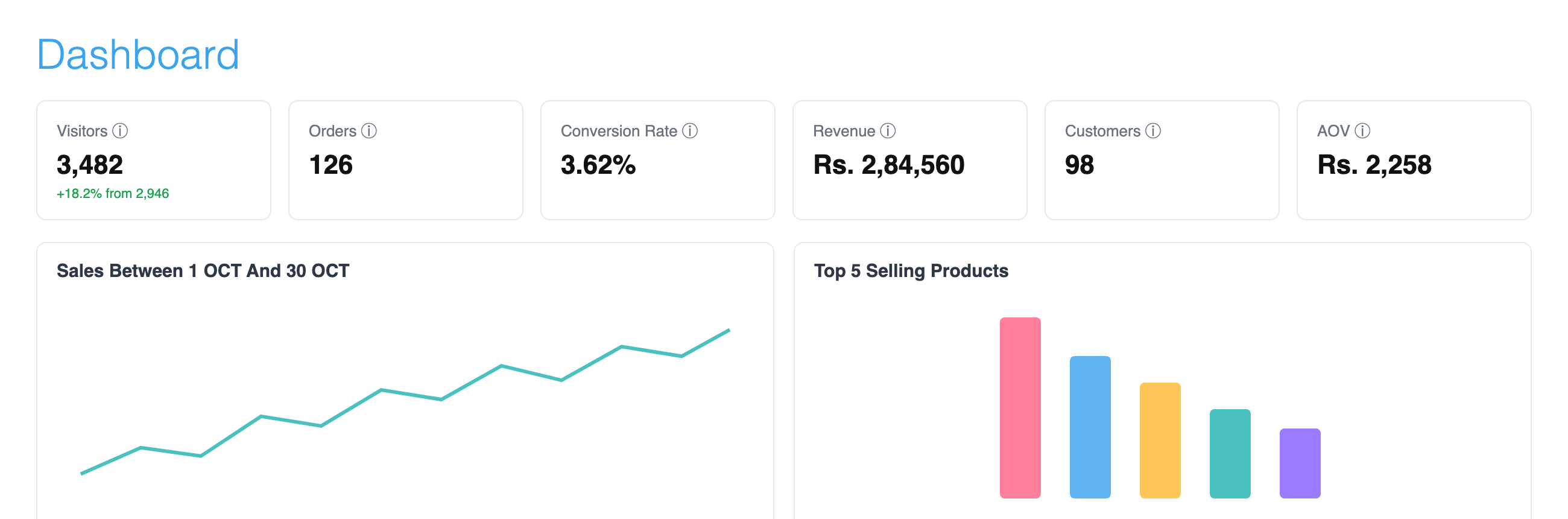
Visitors, orders, conversion rate, revenue, customers and average order value, the moment you log in.
- Sales chart and top 5 products
- Recent orders
- Low-stock alerts
15 reports
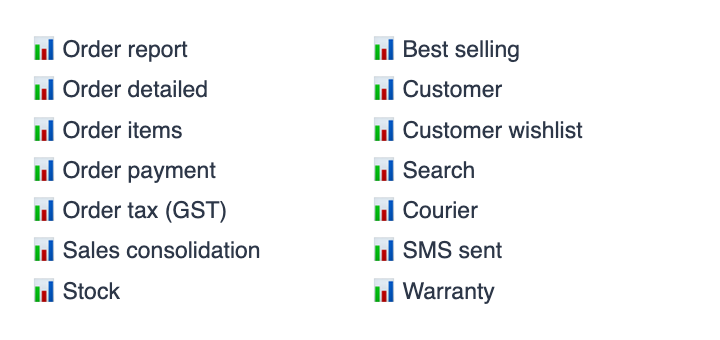
Orders, order details, order items, payments, GST, sales consolidation, stock, best sellers, customers, wishlists, searches, couriers, Blue Dart, SMS sent and warranty.
- Download as Excel or PDF
- Email or print
- Search and filter
Orders, step by step
Every order with its status, payment and tracking. Busy stores can move orders through procure, billing, packing and shipped.
- Bulk status change
- A4 or thermal printer invoices
- Gift messages, delivery slots and files from customers
Phone and WhatsApp orders
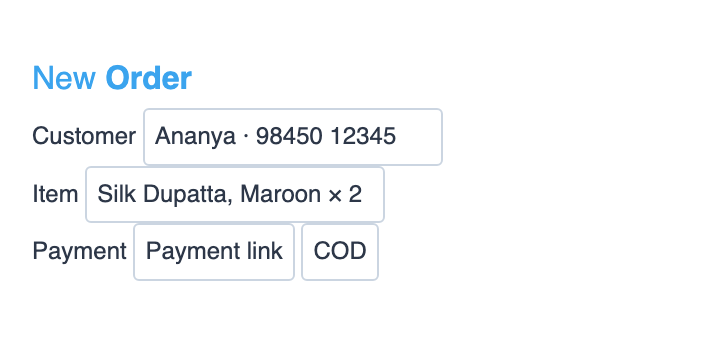
A regular calls to order? Create the order in Store Manager, send a payment link or mark it COD. Change an order later by adding or removing items.
- Create orders by hand
- Add or remove items in an order
- Payment link or COD
Staff users Mega Store
Unlimited staff logins, each with only the permissions they need. Your packer sees orders, not your revenue.
- About 190 permissions
- One login per person
- Remove access any time
New-order alerts
Know the moment an order comes in, on WhatsApp, by SMS or with a desktop notification.
- WhatsApp to your support number
- SMS and order email
- Desktop notification
From your phone
Store Manager works in your phone's browser. Check orders, change stock and update statuses from anywhere.
- Orders and stock
- Prices and products
- Order status
CUSTOMER STORIES
Hear it from the people who sell on Shopnix

















Keep exploring
Frequently Asked Questions
Yes. Create the order in Store Manager, then send a payment link or mark it as COD. You can also add or remove items in an order later.
Orders, order details, order items, payments, GST, sales consolidation, stock, best sellers, customers, wishlists, searches, couriers, Blue Dart, SMS sent and warranty. Download them as Excel or PDF.
Yes. Store Manager works in your phone's browser. You can see orders, change stock and prices, and update order status.
Mega Store includes unlimited staff users, each with only the permissions you give them.
Fifteen reports, including stock, best sellers, orders, order items, payments, tax, sales consolidation, customers, wishlists, searches and couriers. Most can be downloaded as Excel or PDF, or emailed.
No. GST invoices, payments and shipping are part of Shopnix.
Spend your day selling, not sorting
Try Shopnix free for 14 days. No credit card needed.


