
Approve and manage product reviews
Customers can write a review and give a rating on any product page. A new review does not show in your store until you approve it in Store Manager.
Product reviews are available on the Super and Mega plans. See Upgrade or renew your plan.
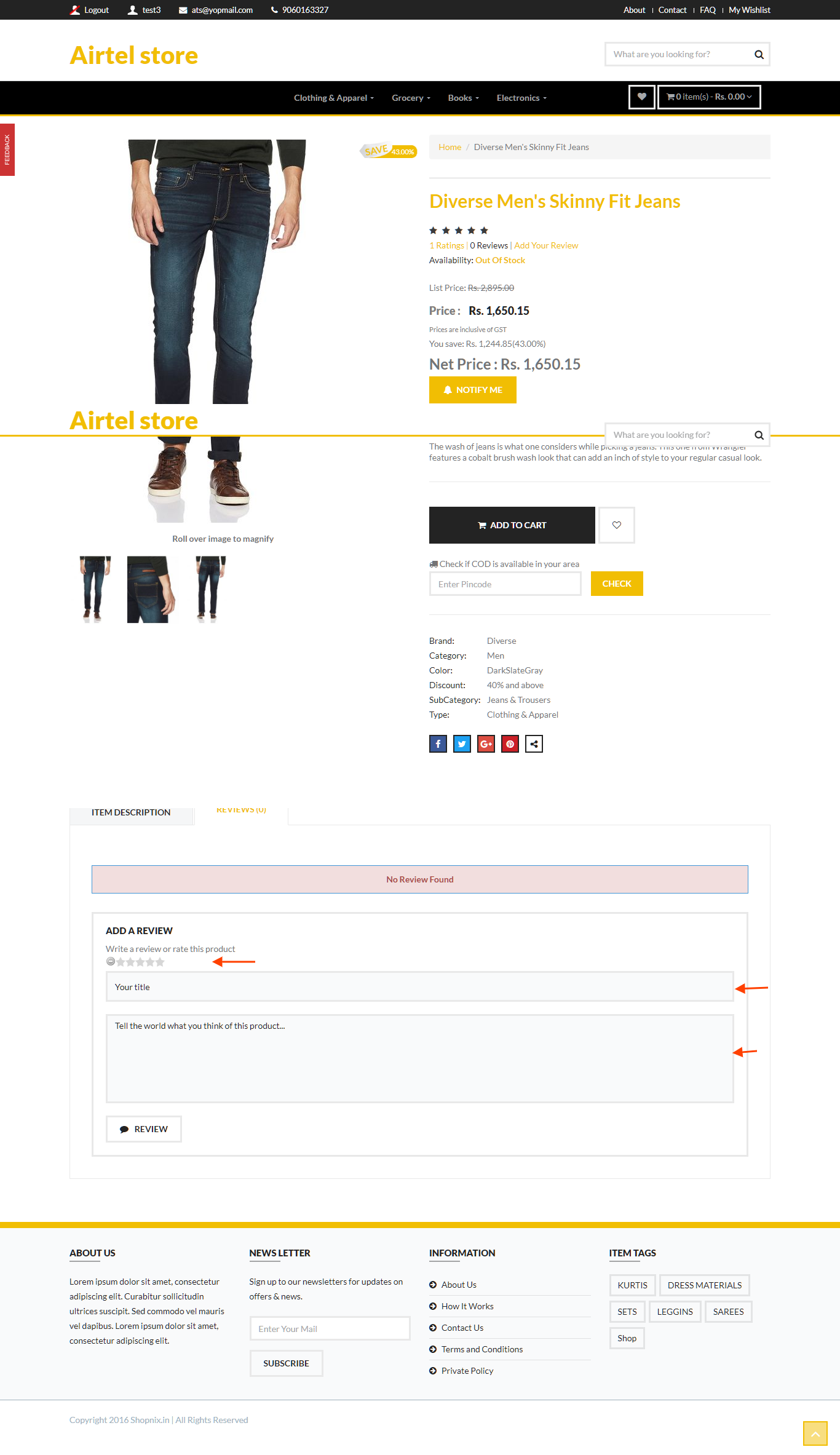
See all reviews
- Go to Store Manager → Products → Product Reviews.
- The list shows all reviews, both approved and not approved.

Approve or edit a review
- Go to Store Manager → Products → Product Reviews.
- Use the search section to find reviews that are not approved.
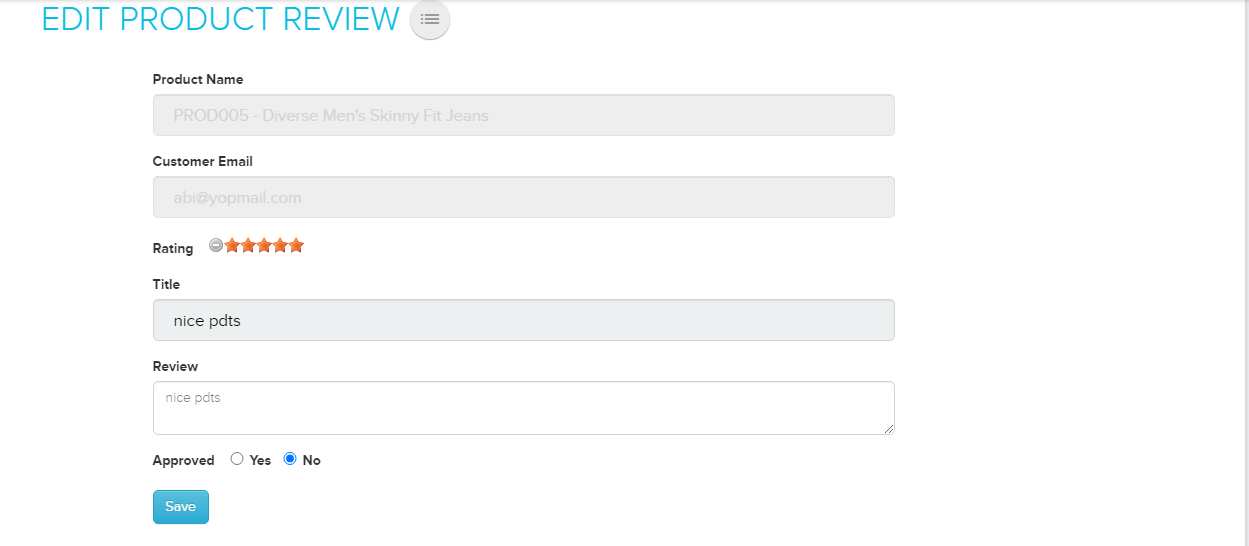
- Click the product name on the review. The Edit Product Review page opens.
- Approve or reject the review. You can also edit its rating, title and status here.
To remove a review, delete it from the list.
Write your own review
You can also add a review yourself, for example one a customer sent you by email. In Store Manager → Products → Product Reviews, add a new review and fill in the rating, title and status.
What happens next
Once approved, the review shows on the product page in your store. The customer gets an email when you approve or reject their review.
Related articles
Need more help? Email support@shopnix.io or call +91 8880788813.
No comments to display
No comments to display